
Introduction: A Product Feed Is More Than an XML File
When I audit an ecommerce website connected to Google Merchant Center, I rarely start by looking at advertising campaigns. I start with the product data.
There is a reason for this.
A product feed is one of the main ways an online store communicates its catalogue to Google. It describes what the business sells, how products are identified, which variants exist, how much they cost, whether they are available and where shoppers can find them.
At first glance, this looks like a straightforward data transfer process. An ecommerce platform exports products, a scheduled task generates an XML file, and Merchant Center processes the submitted information.
But the actual architecture is rarely that simple.
Product information may come from an ERP system, a warehouse database, a CMS, a pricing service, a supplier feed and several custom integrations. These systems do not always update at the same time. They may use different product identifiers, category structures and naming conventions.
The result can be a feed that is technically valid but commercially inaccurate.
A product may have the wrong GTIN. A variation may be associated with the wrong item group. The feed may contain an outdated price. A product image may be inaccessible to Googlebot. A title may describe the manufacturer's internal SKU rather than the actual product.
These problems are not all equivalent. Some can lead to product disapproval. Others reduce the clarity or usefulness of product information. Some are simply opportunities to improve how the offer is presented.
In this article, I will approach Google Merchant Center Product Data Specification as an engineering problem rather than a checklist of attributes.
I will examine the data architecture, explain the most important attributes, show how I diagnose common errors and demonstrate how to audit a large catalogue using Python.
1. How Google Uses Product Data
Before changing attributes, I think it is important to understand what the product feed is actually responsible for.
Google needs to understand several things about every offer:
- What exactly is being sold?
- Who is the manufacturer or brand?
- Which product identifiers are available?
- What category does the product belong to?
- What is its current price?
- Is it available for purchase?
- Which version, size or colour is being offered?
- Where can the customer purchase it?
- What delivery and purchasing conditions apply?
The product feed provides structured answers to these questions.
Three different layers of product data quality
During an audit, I separate product data quality into three layers.
Layer 1: Eligibility
Can the product participate in the relevant Google surfaces under the applicable technical and policy requirements?
This includes required attributes, valid identifiers where required, accessible landing pages, accurate pricing, availability and compliance with product policies.
Layer 2: Relevance
Does Google receive enough accurate information to understand the product and distinguish it from similar offers?
This is where titles, descriptions, brand, GTIN, product type, category, material, colour and other descriptive attributes become important.
Layer 3: Presentation and performance
Does the product offer provide useful information and a convincing experience to potential customers?
Image quality, additional images, videos, delivery details, promotions and ratings can contribute to a more informative presentation.
These layers should not be confused. Adding optional attributes does not automatically make an ineligible product eligible, and a complete feed does not guarantee a particular ranking or number of impressions.
2. Product Feed Architecture: Where the Data Actually Comes From
One of the first things I investigate is the origin of the data.
In a small ecommerce store, product information may be maintained directly in the CMS. In a larger business, the architecture can involve several systems.
Product Data Pipeline
Схема движения данных от ERP/PIM через Feed Generator к Merchant Center и поверхностям Google. Каждый переход — потенциальная точка расхождения цены, остатка или идентификатора.
There are several possible data source formats:
- XML feeds.
- TSV or CSV files.
- Google Sheets.
- Content API or Merchant API integrations.
- Supplemental data sources.
The correct choice depends on the size of the catalogue, update frequency, source systems and available technical resources.
XML feed example
A simplified XML product record might look like this:
-
 SKU-10001 Northfield Wireless Headphones X2
    Wireless headphones with active noise cancellation
    and up to 30 hours of battery life.

    https://example.com/headphones-x2/

    https://example.com/images/headphones-x2.jpg
   in_stock 129.00 EUR Northfield 00012345678905
This is a simplified illustration. A production feed must use the correct namespace, document structure, formatting and attribute requirements for its selected data source.
My first architecture checks
I usually investigate the following questions before optimizing individual attributes:
- Which system is the source of truth for product names?
- Where are prices maintained?
- How frequently are inventory values updated?
- Are product identifiers stable between exports?
- How are product variants represented?
- Does the feed generator apply transformations?
- Can the same product be exported more than once?
- What happens when a product is deleted or discontinued?
If these questions cannot be answered, rewriting product titles is probably not the first task I would prioritize.
3. Required Product Attributes: The Foundation of a Valid Feed
Google's Product Data Specification defines the attributes used to describe products. Requirements differ depending on product type, target country, marketing method and other conditions.
There is no universal list of attributes that is mandatory for every product in every market. I always check the official specification for the actual product category and destination country.
However, several core attributes appear in almost every standard product feed.
| Attribute | Purpose | Diagnostic priority |
|---|---|---|
id | Unique product identifier | Critical |
title | Product name | Critical |
description | Product description | High |
link | Product landing page | Critical |
image_link | Main product image | Critical |
availability | Stock status | Critical |
price | Current product price | Critical |
brand | Manufacturer or brand | High |
gtin | Global trade item number | High when available |
condition | Product condition | Category dependent |
3.1. ID: The Product Identifier Must Remain Stable
The id attribute is one of the most important technical fields in a product feed.
It identifies a specific offer within the data source.
Consider the following example:
id: SKU-10001Now imagine that the store generates a new identifier every time the feed is exported:
SKU-10001-2026-11-01
SKU-10001-2026-11-02
SKU-10001-2026-11-03
This creates unnecessary product identity changes.
I prefer stable identifiers that reflect the actual catalogue architecture.
For example:
PRODUCT-10001
PRODUCT-10002
PRODUCT-10003
For product variations, the identifier should distinguish each offer while the group identifier connects related variants where appropriate.
What I check:
- Is every product ID unique?
- Does the same product retain its ID between feed updates?
- Are IDs accidentally generated from timestamps?
- Are deleted products removed or updated correctly?
- Are variant IDs different from the parent group ID?
3.2. Title: Product Names Should Describe the Actual Offer
Product titles are among the most important fields for product understanding and presentation.
Google recommends including useful product attributes such as brand, product type, gender, size, colour and other relevant details.
The most important information should appear early because product titles can be truncated in some formats.
Consider this weak title:
Wireless X2It does not explain the brand, product type or main characteristics.
A more descriptive version might be:
Northfield X2 Wireless Headphones,
Active Noise Cancellation, Black
The second title provides more context without turning the product name into a list of unrelated search queries.
Example title patterns
| Product type | Suggested structure |
|---|---|
| Apparel | Brand + Gender + Product Type + Material + Colour |
| Electronics | Brand + Model + Product Type + Key Specification |
| Furniture | Brand + Product Type + Material + Dimensions |
| Beauty | Brand + Product Type + Main Ingredient + Size |
| Sports equipment | Brand + Product Type + Model + Key Feature |
These are editorial structures, not mandatory Google formulas.
For example, a hypothetical furniture product could use:
Oakline Solid Oak Dining Table,
180 cm, Natural Finish
Instead of:
Best Dining Table Cheap Furniture Sale 2026The second version contains promotional language without adding useful product information.
3.3. Description: Do Not Turn It Into a Keyword Container
The description should explain what the product is and what makes it different.
I often find descriptions copied directly from supplier catalogues. Sometimes they contain HTML fragments, internal product codes, duplicated paragraphs or generic statements that apply to every item.
A useful description should contain:
- The actual product type.
- Main functional characteristics.
- Material or construction details where relevant.
- Dimensions or technical specifications.
- Compatibility information where applicable.
- Important limitations or included accessories.
Example:
Northfield X2 wireless headphones feature active
noise cancellation, Bluetooth connectivity and
up to 30 hours of battery life.

The model includes a USB-C charging cable,
foldable ear cups and an integrated microphone.
The description should not promise characteristics that the actual product does not have.
3.4. Link: The Landing Page Must Match the Product
The link attribute should lead directly to the relevant product landing page.
One of the issues I often look for is a mismatch between the product in the feed and the page that opens after clicking.
For example:
Feed product:
Northfield X2 Wireless Headphones - Black

Landing page:
Northfield X2 Wireless Headphones - White
This may happen when a product variant is selected through JavaScript but the feed URL does not preserve the selection.
For variant products, I check whether the landing page opens with the correct colour, size or other selected option.
I also check HTTP status codes, redirects, canonical URLs and mobile accessibility.
Related technical investigation: HTTP Headers SEO: hidden problems in server responses.
3.5. Price and Availability: Data Freshness Matters
Price and availability are not fields that should be updated only when someone remembers to export a new feed.
They are dynamic business data.
Consider a store with 4,000 products. Inventory changes several times a day, but the feed is generated only once every 24 hours.
In a hypothetical scenario, the store may have 180 products that are already out of stock in the warehouse but still appear as in_stock in the feed.
This is not necessarily an isolated feed formatting issue. It may indicate a delay between the warehouse system and the feed generator.
For price and availability, I check:
- Source database values.
- Feed generation timestamps.
- Feed processing timestamps.
- Visible landing page values.
- Structured data values.
- Cart and checkout values.
Google recommends keeping price and availability accurate and up to date. Depending on the integration, this can involve scheduled feed delivery, Merchant API or structured data support.
4. Product Identifiers: GTIN, Brand and MPN
This is one of the areas where I would rather spend additional audit time than simply add more keywords to product titles.
Product identifiers help distinguish one product from another and connect offers to the correct manufacturer product.
The main attributes are:
brandgtinmpn
GTIN: Global Trade Item Number
GTIN is a global product identifier. Depending on the product, it can take forms such as GTIN-8, GTIN-12, GTIN-13 or GTIN-14.
When a manufacturer has assigned a GTIN, the correct value should be submitted where required.
One mistake I frequently look for is the use of an internal SKU in the GTIN field.
These values are not interchangeable.
Correct internal SKU:
NF-X2-BLK

Incorrect GTIN:
NF-X2-BLK

Manufacturer GTIN:
00012345678905
The example GTIN above is illustrative. In a real feed, the value must be the actual manufacturer-assigned identifier for the exact product.
Never generate a random GTIN simply to fill an empty field.
Brand
The brand attribute should contain the actual brand associated with the product.
It should not be replaced with the store name unless the store itself is genuinely the product brand.
For example:
brand: NorthfieldMPN
MPN is a manufacturer part number.
It is not necessarily the same as an internal ecommerce SKU.
If the manufacturer assigns a part number, it should be represented accurately.
What if the product has no GTIN?
Not every product has a manufacturer-assigned GTIN.
For products without standard identifiers, the merchant should follow Google's identifier requirements for the relevant product type and use the identifier_exists attribute where appropriate.
For example:
identifier_exists: noThis is not a workaround for missing data. It should only be used when the product genuinely does not have the applicable identifiers.
GTIN audit example
| Check | Example result | Action |
|---|---|---|
| Missing GTIN | Manufacturer provides one | Retrieve actual GTIN |
| SKU in GTIN field | Internal code detected | Correct mapping |
| Invalid format | Incorrect length or characters | Validate identifier |
| Duplicate GTIN | Different products share value | Investigate variants and source data |
| Wrong brand | Store name used | Correct manufacturer brand |
Google explains product identifier requirements in its official documentation:
Google Merchant Center — Unique Product Identifiers.
5. Product Classification: Google Product Category vs Product Type
This is another area where I frequently find confusion.
Google provides two different attributes:
google_product_categoryproduct_type
They are related, but they are not the same thing.
Google Product Category
The google_product_category attribute uses Google's predefined product taxonomy.
It allows a merchant to provide a category override in applicable cases.
Example:
Electronics > Audio > Audio Components
> Headphone & Headset Accessories
Google also automatically categorizes products. Therefore, manually submitting google_product_category is not universally required for every product.
It is particularly useful when the automatic categorization is incorrect or when a specific category assignment is needed.
Product Type
The product_type attribute is the merchant's own classification path.
It can reflect the structure of the ecommerce catalogue.
For example:
Electronics > Audio > Headphones
> Wireless Headphones
Unlike Google's taxonomy, product_type is controlled by the merchant.
Comparison
| Feature | google_product_category | product_type |
|---|---|---|
| Taxonomy | Google predefined | Merchant-defined |
| Purpose | Google product classification | Merchant catalogue hierarchy |
| Custom values | No | Yes |
| Multiple paths | No | Can be repeated |
| Useful for | Classification and campaign organization | Catalogue segmentation and reporting |
My category audit method
I would export the current category values and group them by product family.
Then I would look for suspicious patterns:
- Thousands of unrelated products assigned to one broad category.
- Products with outdated taxonomy values.
- Category paths that do not describe the actual product.
- Different variants of the same product assigned inconsistent categories.
- Product_type values containing promotional phrases or search queries.
Google recommends using accurate, specific category values. It also recommends detailed product_type paths that describe the actual catalogue hierarchy.
Official references:
6. Product Variants: item_group_id, Colour, Size and Other Attributes
Product variations deserve their own section because they create some of the most complicated data problems in large ecommerce catalogues.
Imagine a clothing store selling one T-shirt in five sizes and four colours.
There are 20 purchasable variations.
They are related, but they are not necessarily the same offer.
Google uses item_group_id to connect products that are variants of the same parent product.
Example
Product group:
TSHIRT-100

Variant 1:
id = TSHIRT-100-BLACK-S
item_group_id = TSHIRT-100
color = Black
size = S

Variant 2:
id = TSHIRT-100-BLACK-M
item_group_id = TSHIRT-100
color = Black
size = M

Variant 3:
id = TSHIRT-100-WHITE-S
item_group_id = TSHIRT-100
color = White
size = S
Each variant has its own product ID, while the shared item_group_id connects related variations.
Typical variant errors
- All sizes use the same product ID.
- Different colours are not grouped correctly.
- The selected variant in the feed does not match the landing page.
- Different products are accidentally assigned the same item_group_id.
- Variant prices are not updated independently.
- Product images show a different colour from the submitted variant.
Diagnostic example
| ID | Group ID | Colour | Size | Result |
|---|---|---|---|---|
| TS-001-BLK-S | TS-001 | Black | S | Correct |
| TS-001-BLK-M | TS-001 | Black | M | Correct |
| TS-001-WHT-S | TS-001 | White | S | Correct |
| TS-001-WHT-M | TS-002 | White | M | Investigate |
The last row uses a different group ID. That may be intentional if the item belongs to a different product family, but if it is the same model, it could indicate a grouping error.
I would compare variant identifiers against the actual product database rather than assuming that similar names always belong to the same group.
7. Product Images: A Technical Requirement, Not Just a Design Element
Product images are often treated as a content or design task. For Merchant Center, they are also a technical delivery requirement.

The image_link attribute points to the main product image.
Additional images can be submitted through additional_image_link.
Google supports formats including JPEG, WebP, PNG, non-animated GIF, BMP and TIFF, subject to the current specification.
Important image requirements for 2026–2027
Google announced an updated minimum image resolution of 500 × 500 pixels for image_link and additional_image_link, with enforcement beginning January 31, 2027.
Google recommends providing images around 1500 × 1500 pixels or above when possible for the best performance across listing formats.
That distinction matters: 500 × 500 is the announced minimum, not the ideal production target.
What I check during an image audit
- Does the image URL return HTTP 200?
- Does it return an actual image file?
- Is the MIME type correct?
- Is the file format supported?
- Are the dimensions sufficient?
- Does the image represent the actual product?
- Does it contain prohibited promotional overlays or watermarks?
- Can Googlebot-Image access the file?
- Does the image URL remain stable?
- Does the image correspond to the selected product variant?
Example of a problematic image response
HTTP/1.1 403 Forbidden
Content-Type: text/html

Access denied
The image may open in an authenticated browser session but remain inaccessible to an external crawler.
Another common issue is a thumbnail URL being used instead of the full-resolution image.
Image audit table
| Image issue | Potential cause | Solution |
|---|---|---|
| 403 response | CDN or hotlink protection | Review crawler access rules |
| 404 response | Deleted image | Update image URL |
| Small dimensions | Thumbnail exported | Use original image |
| Wrong format | Incorrect file mapping | Correct MIME and extension |
| Wrong variant | Shared image URL | Map images by variant ID |
| Stale image | CDN cache | Refresh image delivery |
Related technical article: The Hidden SEO Problems Behind HTTP Headers.
8. New Merchant Center Product Attributes in 2026
This is one of the most important reasons to review the product data specification regularly.
Google updates its requirements and available attributes. A feed that was perfectly acceptable last year may not use all the capabilities available today.
Product Data Specification 2026
Атрибуты, изображения, видео и доставка в одной технической инфографике. Три ключевые даты определяют, какой фид считается соответствующим спецификации.
Specification Update
Публикация обновлённой спецификации и новых атрибутов. Начало выдачи предупреждений по недостаточному разрешению изображений в Merchant Center.
Video Validation Begins
Запуск полноценной валидации политик и качества для атрибута video_link. Видео влияют на показы и могут быть отклонены при нарушении правил.
Image Minimum 500 × 500
Минимальное разрешение image_link и additional_image_link становится обязательным. Рекомендуется 1500×1500 для максимального качества в листингах.
The April 14, 2026 specification update introduced several new attributes and changes.
8.1. Handling Cutoff Time
The handling_cutoff_time attribute allows merchants to specify a daily cutoff time for processing online orders.
This can help communicate the time after which an order will no longer qualify for same-day processing under the merchant's stated conditions.
Example concept:
handling_cutoff_time:
  14:00
The exact formatting and supported sub-attributes must follow Google's specification for the selected feed format.
During an audit, I would compare this value with the actual order-processing rules and the delivery promises displayed on the website.
8.2. Minimum Order Value
The minimum_order_value attribute allows merchants to specify the minimum amount a customer must spend to place an order for delivery to a particular country.
For example, a store may require a minimum order of 25 EUR for certain delivery conditions.
DE 25 EUR This is particularly important for businesses where individual product prices can be lower than the minimum order threshold.
Google requires the submitted value to match the applicable website conditions and the relevant currency.
8.3. Loyalty Shipping Attributes
Google introduced loyalty-related sub-attributes for shipping:
- loyalty_program_label
- loyalty_tier_label
These fields allow merchants to describe shipping benefits associated with a loyalty programme and a specific membership tier.
For example, a store may offer free express delivery to members of a particular programme.
The feed should not promise a loyalty benefit that the website does not actually provide.
8.4. Video Link
The new optional video_link attribute allows merchants to submit product video URLs.
Videos can show products in use, demonstrate features or provide additional views of an item.
Google announced the attribute on April 14, 2026. Technical validation began at that time, while serving and policy and quality validation began June 30, 2026.
For an ecommerce catalogue, I would consider video_link particularly useful for:
- Electronics demonstrations.
- Furniture assembly and product use.
- Clothing try-on demonstrations.
- Sports equipment.
- Products whose operation is difficult to understand from a static image.
Example:
https://example.com/videos/product-demo.mp4
This is an illustrative XML example. The submitted URL and video must meet Google's actual technical and content requirements.
8.5. Image Requirements for January 2027
The next important milestone is January 31, 2027.
From this date, the announced minimum resolution for image_link and additional_image_link becomes 500 × 500 pixels across product categories and marketing methods.
Google began issuing warnings in Merchant Center from April 14, 2026.
I would not wait until enforcement begins.
For large catalogues, image migration can take time because the problem may originate in the CMS, supplier image source, image transformation service or CDN.
My recommendation is to identify undersized images now and fix the source mapping before the deadline.
Official update: Merchant Center Product Data Specification Update 2026.
9. Optional Attributes: More Data Is Not Always Better
One mistake I often see is the assumption that every available attribute should be populated for every product.
That is not a good data strategy.
Attributes should describe the actual product and should be supplied when they apply.
Examples include:
- color
- size
- material
- pattern
- gender
- age_group
- product_highlight
- additional_image_link
- video_link
- custom_label_0 through custom_label_4
Consider a product that is a black cotton T-shirt.
Submitting accurate colour and material information can help distinguish it from other products.
But adding an unrelated value such as waterproof or premium leather would create inaccurate product data.
Custom labels
Custom labels are particularly useful for merchant-side segmentation and campaign management.
For example:
custom_label_0 = high_margin
custom_label_1 = seasonal
custom_label_2 = best_seller
custom_label_3 = low_stock
custom_label_4 = clearance
These values are defined by the merchant. They do not replace product attributes such as brand, GTIN or category.
They can help organize products by commercial priorities, inventory status or business strategy.
However, I would keep the logic documented. If different teams use inconsistent label definitions, the same value may eventually mean different things across the catalogue.
10. Product Feed Optimization: From Basic Compliance to Better Product Understanding
Now we can move from specification to optimization.
My approach is to avoid optimizing every product in the same way.
A catalogue may contain thousands of products across very different categories. The attributes that matter for clothing are not necessarily the attributes that matter for electronics or furniture.
For example:
| Category | Important descriptive attributes |
|---|---|
| Clothing | Gender, size, colour, material, age group |
| Electronics | Brand, model, technical specifications, GTIN |
| Furniture | Material, dimensions, colour, assembly details |
| Beauty | Size, product type, ingredients where relevant |
| Sports equipment | Size, material, intended use, model |
Instead of creating one universal title formula, I build category-specific rules.
Example: Title optimization
Suppose a hypothetical catalogue contains the following product:
Original title:
Model 450 Black
Optimized title:
Northfield Model 450 Men's Running Shoes,
Black, Lightweight Mesh
The revised title includes the brand, product type, audience, colour and a meaningful feature.
But this title should only be used if all those attributes are accurate and visible on the product page.
Example: Description enrichment
Original description:
Comfortable running shoes for everyday use.Improved description:
Northfield Model 450 running shoes feature
a lightweight mesh upper, cushioned midsole
and rubber outsole.

Designed for everyday running and training.
Available in multiple sizes and colours.
The goal is not to repeat the same keywords several times. It is to communicate useful product details.
11. The Feed vs Landing Page Consistency Audit
This is where product feed optimization becomes a technical SEO task.
I do not consider the feed an isolated document. It is a representation of the product page and the actual offer.

For important products, I compare several data sources.
Product Feed Diagnostics
Сравнение ключевых полей в трёх слоях: фид, посадочная страница, структурированные данные. Красные значения указывают на расхождения, которые нужно расследовать первыми.
Not every field needs to be represented identically in every layer, but the actual offer must remain consistent.
Example of a data conflict
FEED:
price = 149.00 EUR
availability = in_stock

LANDING PAGE:
price = 129.00 EUR
availability = out_of_stock

STRUCTURED DATA:
price = 149.00 EUR
availability = InStock
In this example, the feed and structured data agree with each other, but both disagree with the visible page.
This is a serious diagnostic finding.
I would investigate whether the landing page is stale, whether the feed uses the wrong product variant or whether the warehouse integration has failed.
It is important to establish the real source of truth before making changes.
For a deeper technical investigation, I would also inspect server logs and crawl behaviour:
Log File Analysis: how to investigate search crawler behaviour.
12. A Practical Product Feed Audit: 12,500 Products
Let's put the methodology into practice.
Imagine a hypothetical ecommerce store with 12,500 products connected to Google Merchant Center.
The store reports that some products are disapproved, others have limited visibility and the catalogue has not been systematically audited for several months.
I would begin with a full product data export.
Initial catalogue segmentation
| Product group | Number of products |
|---|---|
| Electronics | 3,800 |
| Clothing | 3,200 |
| Home and furniture | 2,400 |
| Sports equipment | 1,700 |
| Other categories | 1,400 |
| Total | 12,500 |
Model audit findings
After checking the feed, landing pages and product data structure, the following hypothetical issues are identified:
| Finding | Products affected | Share of catalogue |
|---|---|---|
| Missing or incorrect GTIN mapping | 640 | 5.12% |
| Generic or incomplete titles | 1,850 | 14.80% |
| Incorrect product categories | 420 | 3.36% |
| Price mismatches | 215 | 1.72% |
| Availability mismatches | 310 | 2.48% |
| Images below 500 × 500 | 1,120 | 8.96% |
| Variant grouping inconsistencies | 185 | 1.48% |
All figures in this audit are illustrative. They are invented to demonstrate the diagnostic process and should not be presented as real client results.
Prioritization
I would not fix these issues in the order in which they appear in the table.
Instead, I would prioritize them by impact and by whether they affect eligibility, accuracy or presentation.
| Priority | Workstream | Reason |
|---|---|---|
| Critical | Price and availability mismatches | Actual offer accuracy |
| High | Invalid product identifiers | Product identity and requirements |
| High | Incorrect variants | Wrong offer or landing page |
| High | Image access and quality | Product presentation and upcoming requirements |
| Medium | Category classification | Product understanding |
| Medium | Title and description enrichment | Relevance and presentation |
These findings can overlap. A product may have both an incorrect GTIN and an incomplete title. Therefore, the affected product counts must not simply be added together.
Root cause analysis
For example, 215 price mismatches may all originate from one integration error between the pricing database and the feed generator.
Likewise, 1,120 undersized images may come from one CMS export rule that generates thumbnails instead of original images.
Fixing the underlying process can correct hundreds or thousands of records at once.
That is why I always look for patterns before editing individual product records.
13. Automating Product Feed Diagnostics with Python
For a catalogue containing thousands of products, manual checks are not enough.
I prefer to build a repeatable validation process that can be executed after each major feed update.
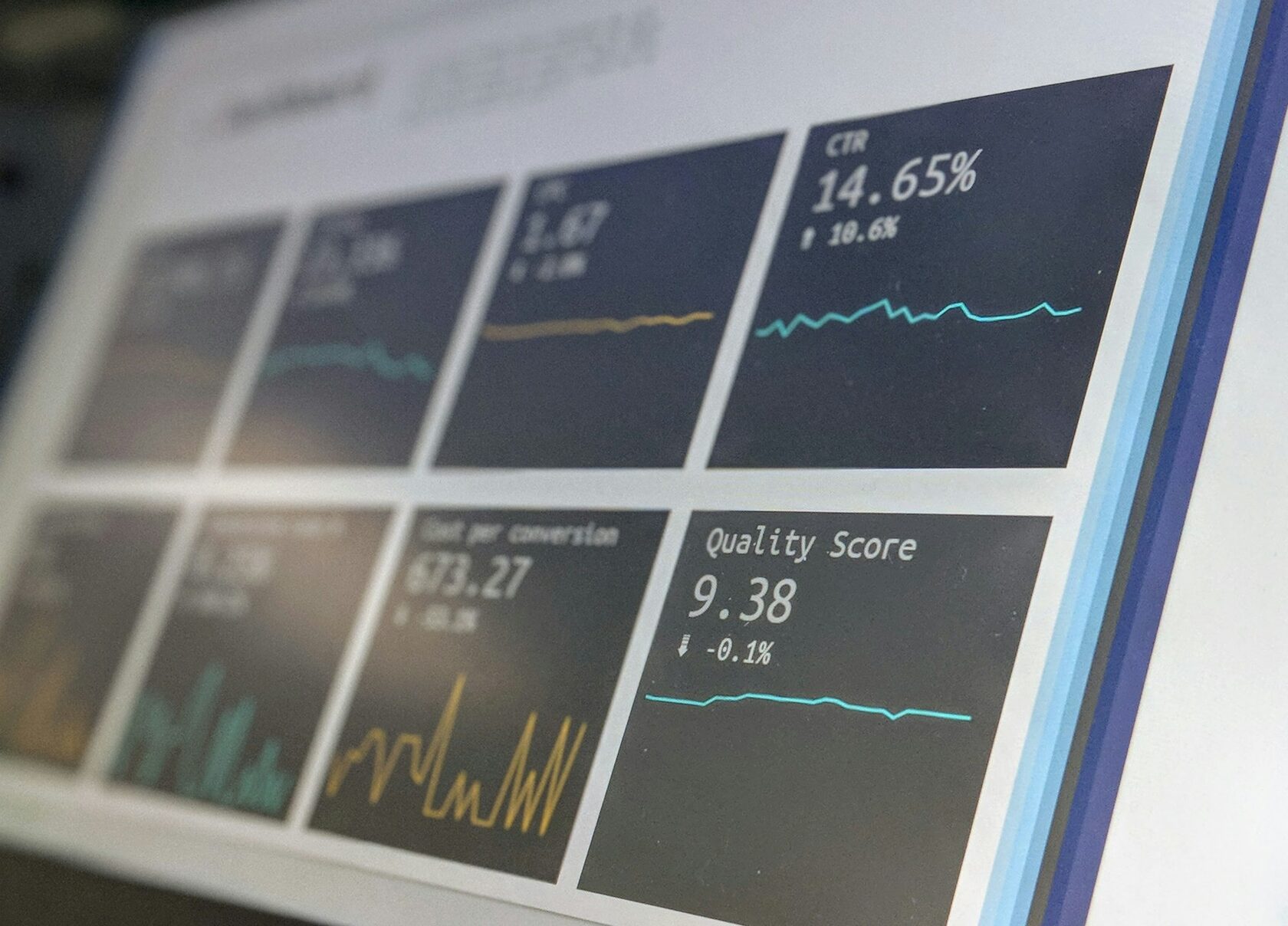
The following example uses Python and pandas to inspect a CSV export of product data.
It checks:
- Duplicate product IDs.
- Missing titles.
- Missing landing page URLs.
- Missing image URLs.
- Invalid or missing prices.
- Missing availability values.
- Missing brand values.
This is an initial data-quality check, not a complete Google Merchant Center validator. It does not replace Google's own diagnostics or validate every category-specific requirement.
import pandas as pd

INPUT_FILE = "merchant_feed.csv"
OUTPUT_FILE = "product_feed_audit.csv"

df = pd.read_csv(INPUT_FILE)

required_columns = [
    "id",
    "title",
    "link",
    "image_link",
    "price",
    "availability"
]

missing_columns = [
    column for column in required_columns
    if column not in df.columns
]

if missing_columns:
    raise ValueError(
        f"Missing columns: {missing_columns}"
    )

# Normalize text fields
for column in [
    "id",
    "title",
    "link",
    "image_link",
    "availability",
    "brand",
    "gtin"
]:
    if column in df.columns:
        df[column] = (
            df[column]
            .fillna("")
            .astype(str)
            .str.strip()
        )

# Extract numeric price
df["price_numeric"] = pd.to_numeric(
    df["price"].astype(str).str.extract(
        r"([0-9]+(?:[.,][0-9]+)?)"
    )[0].str.replace(",", "."),
    errors="coerce"
)

# Duplicate IDs
df["duplicate_id"] = df["id"].duplicated(
    keep=False
)

# Basic validation
df["missing_id"] = df["id"].eq("")
df["missing_title"] = df["title"].eq("")
df["missing_link"] = df["link"].eq("")
df["missing_image"] = df["image_link"].eq("")

df["invalid_price"] = (
    df["price_numeric"].isna()
    | (df["price_numeric"] <= 0)
)

df["missing_availability"] = (
    df["availability"].eq("")
)

if "brand" in df.columns:
    df["missing_brand"] = df["brand"].eq("")

if "gtin" in df.columns:
    df["missing_gtin"] = df["gtin"].eq("")

# Overall number of detected checks
check_columns = [
    column for column in df.columns
    if column.startswith("missing_")
    or column.startswith("invalid_")
    or column == "duplicate_id"
]

df["issue_count"] = df[
    check_columns
].sum(axis=1)

# Export audit
df.to_csv(
    OUTPUT_FILE,
    index=False,
    encoding="utf-8-sig"
)

print("Audit completed")
print("Products:", len(df))
print("Products with issues:",
      (df["issue_count"] > 0).sum())

for column in check_columns:
    print(column, int(df[column].sum()))
What I would add to a production audit
The basic script can be expanded into a much more useful diagnostic system.
- GTIN format and checksum validation.
- Comparison of feed values with website data.
- HTTP status checks for landing pages.
- HTTP status and dimensions for product images.
- Canonical URL comparison.
- Structured data extraction.
- Variant grouping validation.
- Google taxonomy validation.
- Category-specific required attribute checks.
- Feed update timestamps and freshness monitoring.
For a large catalogue, I would also introduce controlled concurrency, retries, rate limits and logging.
The audit must not overload the store or create unnecessary traffic.
14. Supplemental Feeds and Feed Rules: Fixing Problems at Scale
Sometimes the product database is difficult to change.
For example, the ecommerce platform may use supplier names that are unsuitable for product titles, or the source catalogue may not contain all the descriptive attributes needed for Merchant Center.
This is where supplemental data sources and feed rules can help.
Primary feed
The primary feed contains the main product information.
It is the source that provides the core product records and their attributes.
Supplemental feed
A supplemental feed provides additional information or updates to existing product records.
It can be useful for enriching a catalogue without completely rebuilding the original source system.
For example, the primary feed may contain:
id: NF-1001
title: Model X2
brand: Northfield
price: 129 EUR
A supplemental source could provide additional title information:
id: NF-1001
custom_label_0: high_margin
product_type: Electronics > Audio > Headphones
The product ID is essential for matching the additional information to the correct product.
Do not treat a supplemental feed as a substitute for correcting inaccurate source data. It is a data enrichment and management mechanism, not a way to hide incorrect product information.
When I would use feed rules
- Normalize inconsistent attribute values.
- Map supplier categories to internal categories.
- Generate structured product titles.
- Apply consistent custom labels.
- Filter records that should not be submitted.
- Transform source values into the required format.
For complex catalogues, I would document each transformation and maintain a clear distinction between original source values and derived feed values.
15. Monitoring: Product Data Quality Is an Ongoing Process
A product feed is not a one-time SEO task.
Prices change. Stock levels change. Suppliers update identifiers. Images are replaced. Products are discontinued. New variants are introduced.
A feed that was correct three months ago may contain hundreds of errors today.
I would establish a recurring monitoring process.
Daily checks
- Feed processing status.
- New product disapprovals.
- Price and availability mismatches.
- Failed image requests.
- Unexpected drops in approved product counts.
Weekly checks
- Missing product identifiers.
- New products without required attributes.
- Duplicate IDs.
- Variant grouping errors.
- Category mapping anomalies.
Monthly checks
- Title quality across product groups.
- Product descriptions.
- Image resolution and additional image coverage.
- New specification requirements.
- Custom label consistency.
- Performance by product group.
I would also record feed changes and major catalogue updates. Without a change log, it can be difficult to identify when a particular error was introduced.
16. My Final Product Feed Audit Checklist
This is the checklist I would use as the starting point for a technical Merchant Center audit.
Data architecture
- Source of truth is identified.
- Product IDs are stable.
- Feed generation is documented.
- Update frequency is appropriate.
- Duplicate records are controlled.
Core attributes
- id is unique and stable.
- title describes the actual product.
- description contains accurate product details.
- link points to the correct landing page.
- image_link points to the correct image.
- price and availability are current.
- brand and identifiers are accurate.
Classification
- google_product_category is accurate where submitted.
- product_type reflects the catalogue structure.
- Category-specific requirements are satisfied.
- Product variants are grouped correctly.
Media
- Main images are accessible.
- Image dimensions meet current requirements.
- Image URLs return valid image files.
- Additional images are relevant.
- Video links meet the applicable specification.
Commercial data
- Shipping values match actual conditions.
- Minimum order values are correctly represented where applicable.
- Handling cutoff times are accurate where used.
- Loyalty shipping benefits are correctly configured.
- Prices and availability match the landing page and checkout.
Monitoring
- Merchant Center diagnostics are reviewed.
- Feed processing errors are recorded.
- Changes to product data are monitored.
- Important product groups are audited regularly.
- New specification changes are reviewed before enforcement dates.
Conclusion: Optimize the Data System, Not Just the XML
When I look at a Google Merchant Center feed, I do not see just a list of products and attributes.
I see a data system that connects the ecommerce platform, inventory, pricing, product identifiers, landing pages and the actual purchase process.
A technically valid XML file is only one part of that system.
If the product IDs are unstable, if GTINs are mapped incorrectly, if variants are grouped incorrectly or if the website shows different prices from the feed, the problem cannot be solved by rewriting titles alone.
The same applies to optimization. Adding every possible attribute does not automatically improve performance. The objective is to provide accurate, relevant and sufficiently detailed product information for each product category and target market.
My preferred workflow is straightforward:
- Understand the source data architecture.
- Validate the required product attributes.
- Check identifiers and product classification.
- Verify variants and landing pages.
- Audit images and delivery information.
- Compare feed data with the website and checkout.
- Automate recurring validation.
- Measure the results and maintain data quality.
A good product feed is not simply a feed without errors. It is a reliable representation of the products a business actually sells.
Official Google Documentation
- Google Merchant Center — Product Data Specification
- Tips to Optimize Your Product Data
- Merchant Center Product Data Specification Update 2026
- Google Product Category
- Product Type
- Image Link Requirements
- Unique Product Identifiers
- Google Search Central — Product Structured Data
